Halo Flows
Automating recurring research work, with a person approving the output
Overview
Halo Flows is the orchestration and automation layer inside Halo. It runs the analysis and reporting work teams repeat every week, like a competitive review, a wave readout or an executive brief, with review built in.
Challenge
Research teams rebuild the same outputs week after week. The analysis barely changes, but someone still has to pull the data, run it and write it up by hand. Automation only works if people can see what it did and approve what goes out.
My role
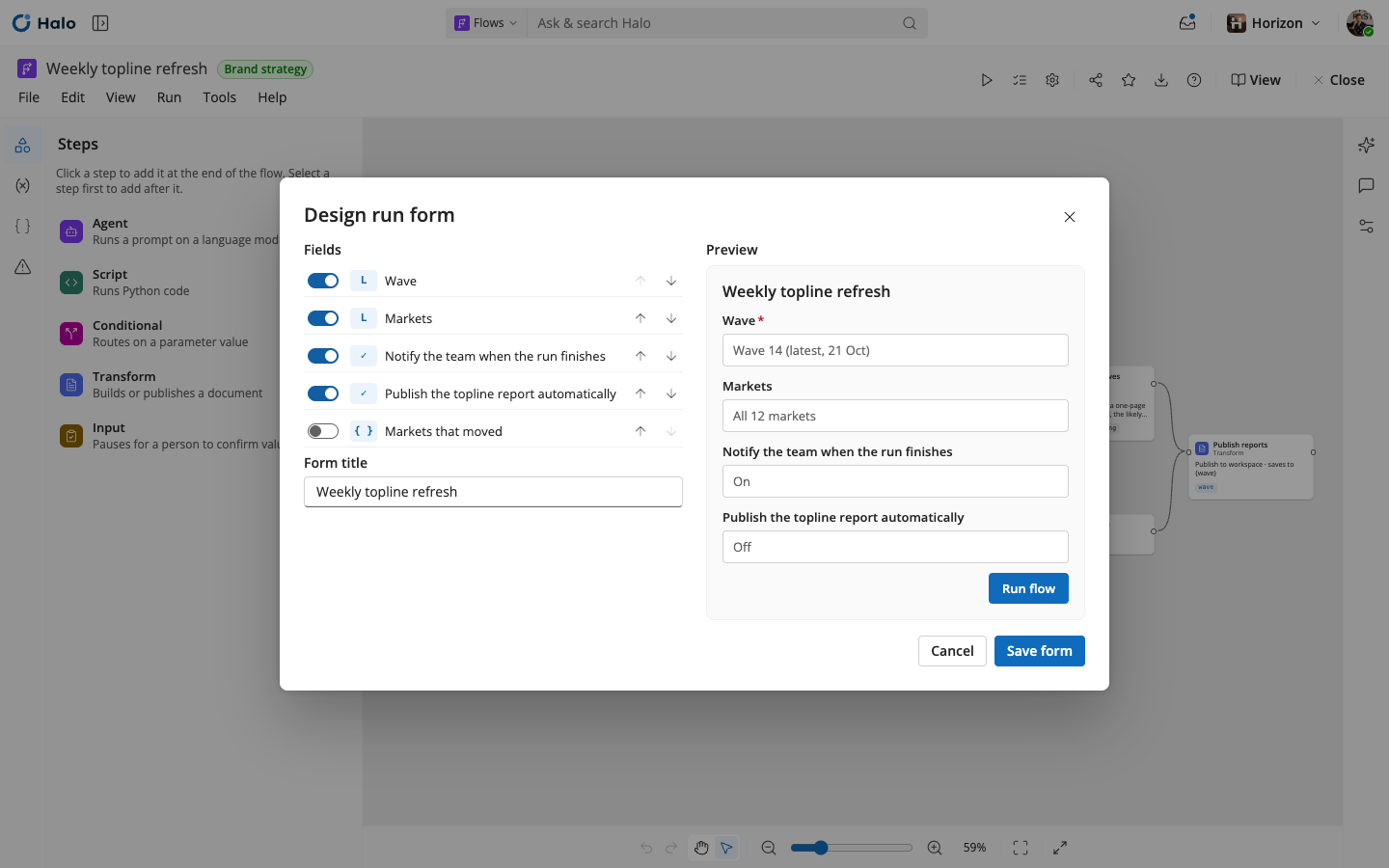
I design both sides of Flows: building flows and using them. The canvas editor is for advanced users and data scientists, who automate data transformation and analysis that would otherwise be done by hand. For everyone else, using a flow should be simple: start it, approve what needs a person, and work with what it produces.
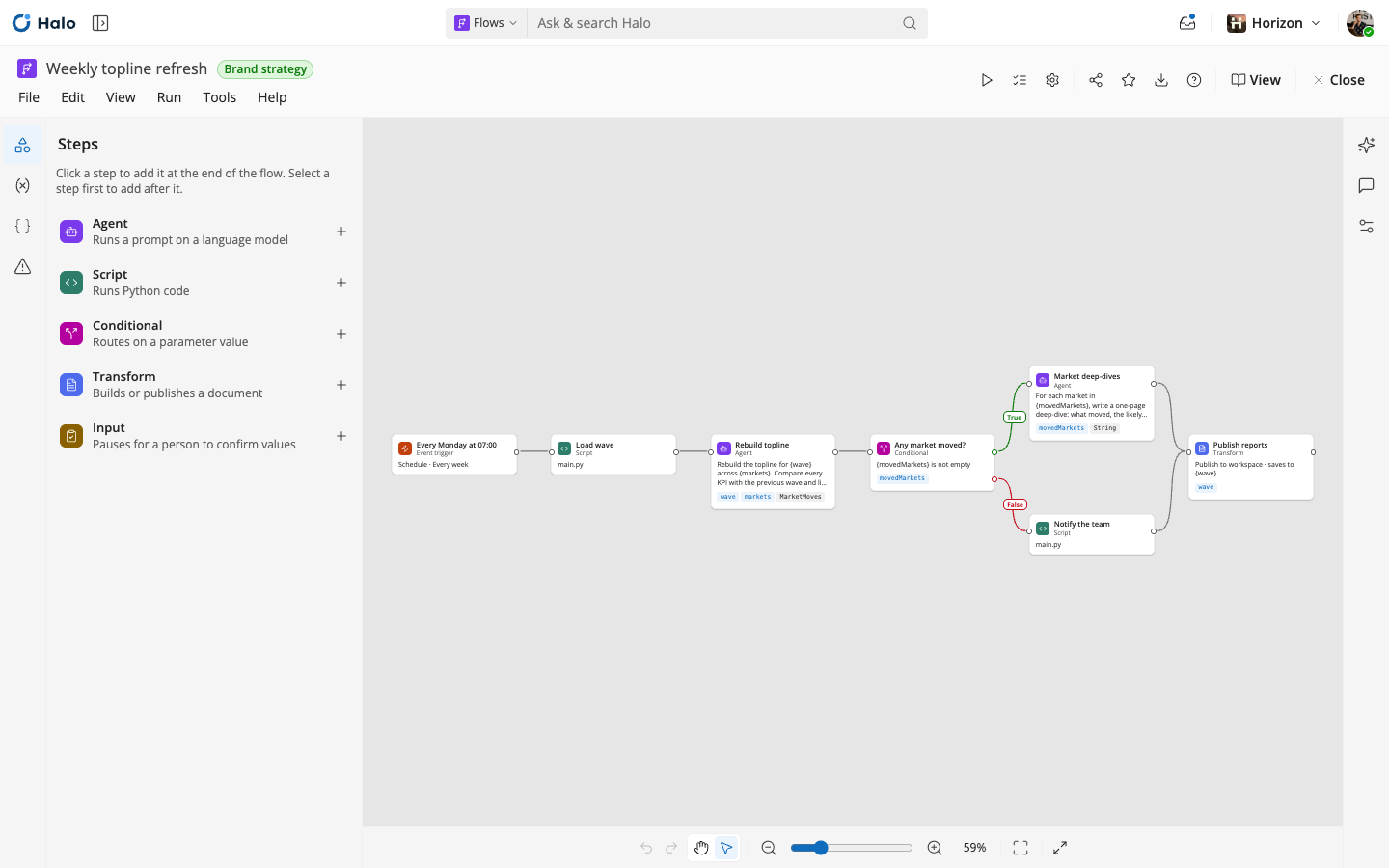
One of the first decisions was to make the editor a canvas. Seeing a flow laid out visually makes it easier to understand what it does, and much easier to debug when something goes wrong.
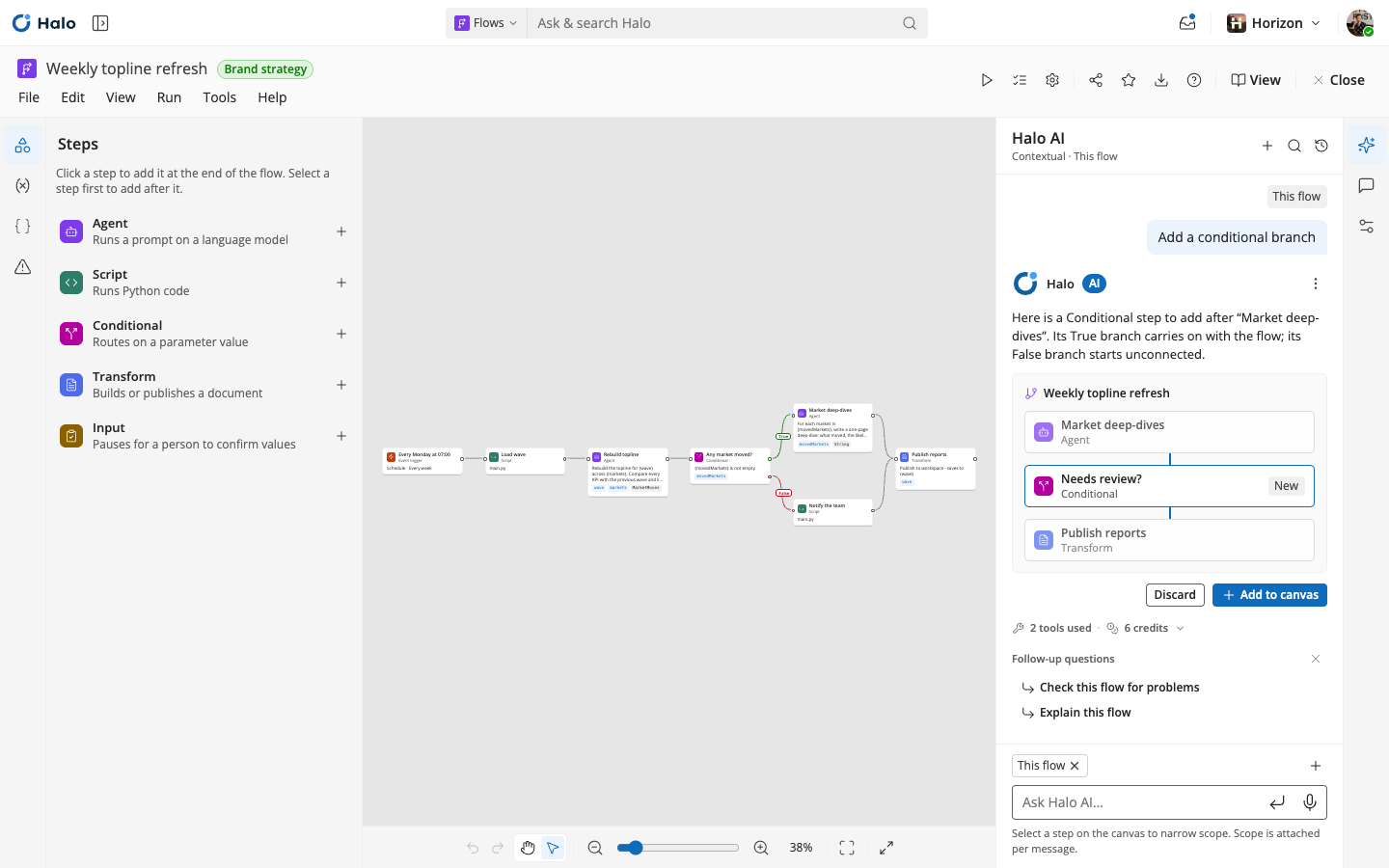
Flows also follows a principle that runs through all of Halo's editors: capabilities come in layers, and people use whichever suits them. They can build and refine a flow entirely through Halo AI chat or shape it visually on the canvas, and the layers are designed to go further, towards scripting steps for advanced users.
The project is still in progress.
How Flows work
A flow runs in five stages. It starts from a trigger: a manual start, a schedule, or an event in a connected system, like new tracker data arriving. Then it reads survey data in Halo and connected sources such as CRM and experience platforms.
Established analysis runs first, then AI drafts the output, whether that's a brief, a report or a recommendation. Finally a person reviews it: higher-stakes outputs pass a checkpoint, while routine ones go straight to the team or system that needs them.
On the canvas, each of those stages is a step people can see, connect and branch, so it's always clear what a flow does and why. The results land in the tools teams already use, like Salesforce, Qualtrics, Slack and email.